Catch every email your app sends
During development you need to see what emails your app sends, but you don't want them reaching real inboxes. Buggregator runs a local SMTP server that captures everything and shows it in a clean UI.
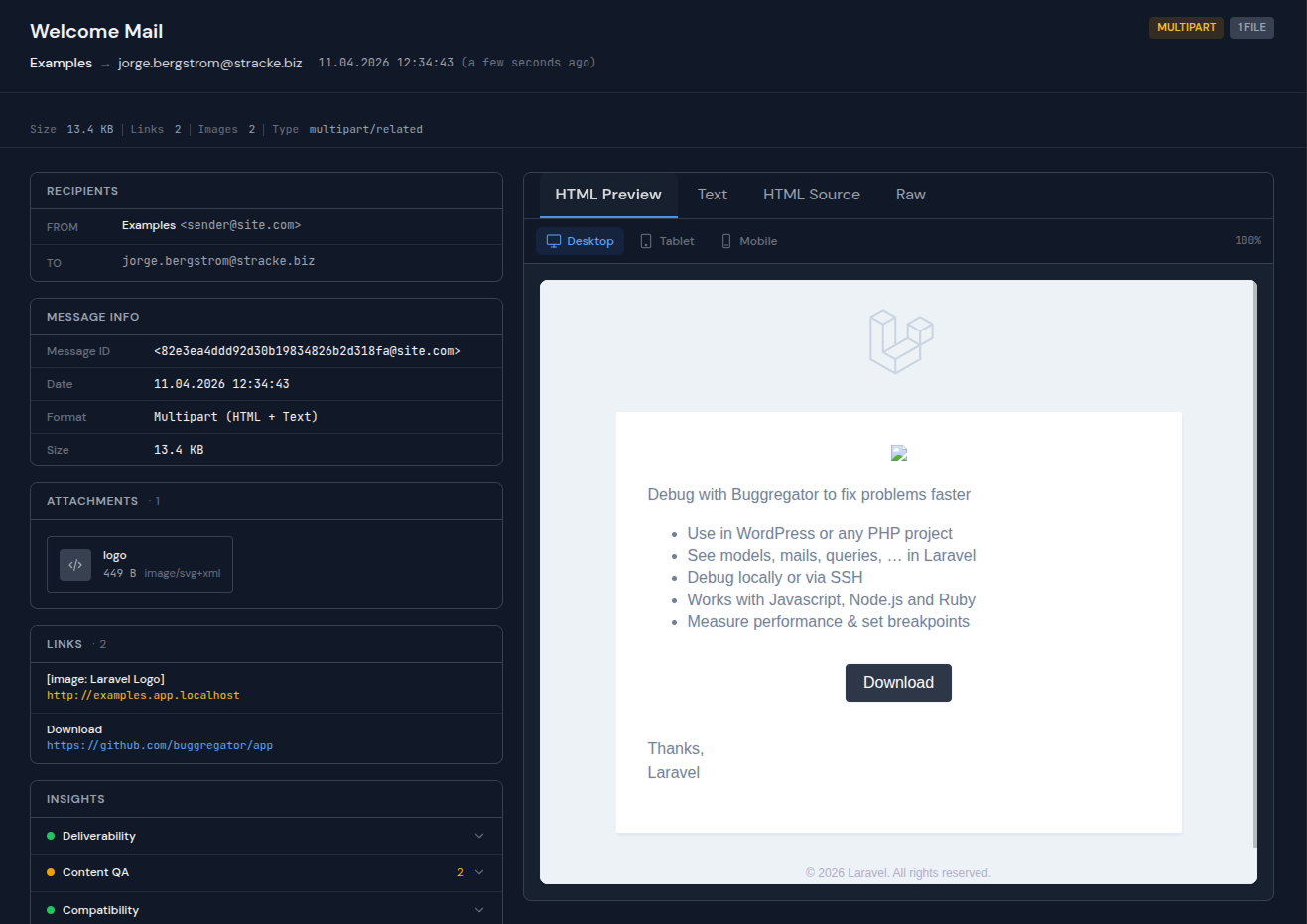
HTML preview with attachments, headers, and raw MIME source
Everything you need to debug emails
Preview, inspect, and verify every email without leaving your dev environment.
HTML preview
See exactly how your email looks. Rendered HTML with images, styles, and layouts.
Attachments
Download and inspect every attachment. PDFs, images, CSVs — all accessible.
Raw source
View the raw MIME source, headers, and encoding. Debug email structure at the protocol level.
Real-time
Emails appear instantly via WebSocket. No page refresh needed.
Safe by default
Emails never leave your machine. No risk of test emails reaching real users.
No auth required
No username, password, or TLS setup. Just point your SMTP host and port.
Setup in 60 seconds
No registration. No config files. Just run and connect.
Start Buggregator
Run a single command. The SMTP server starts on port 1025 alongside the web UI on port 8000.
$ docker run -p 127.0.0.1:8000:8000 -p 127.0.0.1:1025:1025 ghcr.io/buggregator/server:v2.4.1
Point your app to Buggregator
Change your SMTP settings to localhost:1025. No authentication needed. No TLS configuration.
# .env
MAIL_MAILER=smtp
MAIL_HOST=127.0.0.1
MAIL_PORT=1025
Send an email — see it instantly
Trigger any email from your app. It shows up in the Buggregator UI immediately with full HTML preview, attachments, and raw source.
Works with any language
Buggregator speaks standard SMTP. If your language can send emails, it works.
Ready to try it?
One command to start. No account needed.
Also built into Buggregator