Dumps
dump() without breaking your page or JSON response
Send Symfony VarDumper output to Buggregator with two env vars. dump() stops landing in your HTML or JSON and shows the file and line it came from.
dump() output lands in your HTML, breaks a JSON response or gets lost in a queue worker. Buggregator catches ray(), dump() and dd() and shows them in a browser tab, with the file and line they came from.
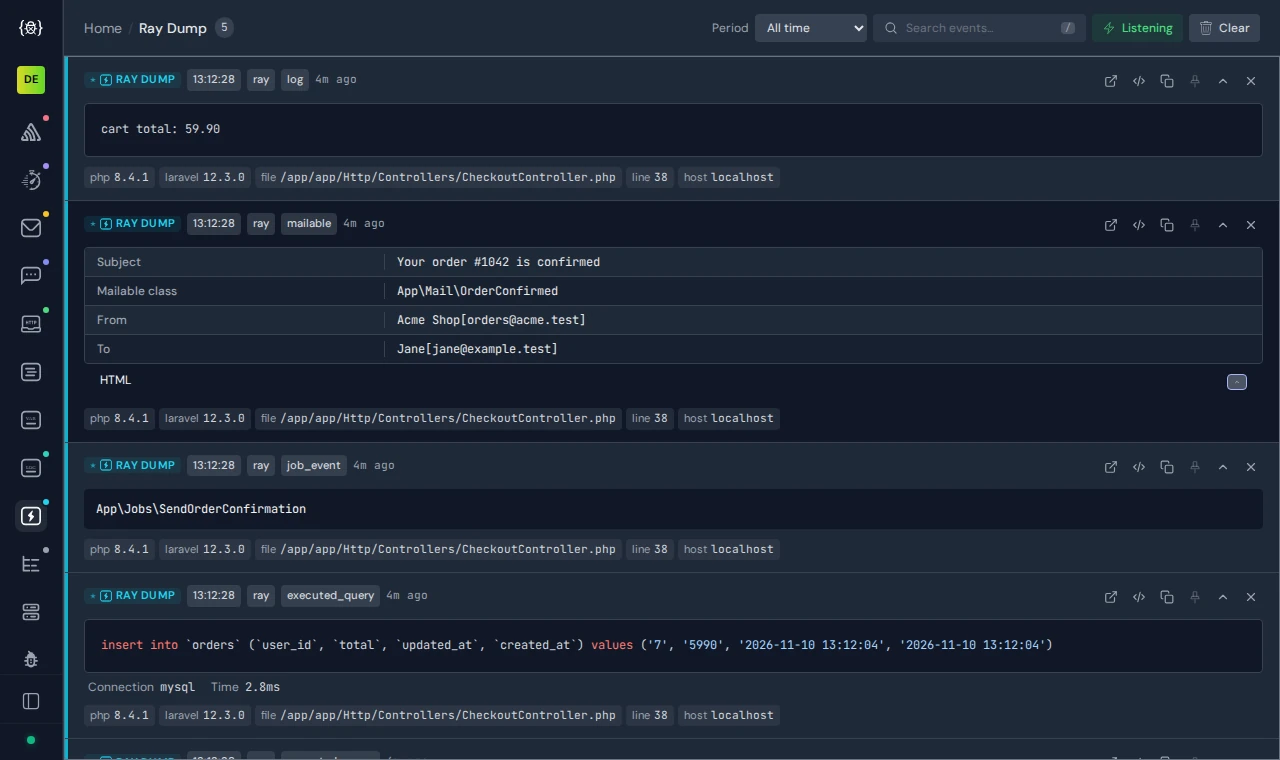
ray() calls from a Laravel app: each one with its type and the line it came from.
The same dump() and ray() calls you already write, in one window.
dump() no longer lands in your HTML or breaks a JSON response. The output goes to Buggregator instead.
Queue workers, RoadRunner and Swoole have no browser to print to. Their dumps still show up.
Keep your ray() calls. Point RAY_HOST at Buggregator and they land in a browser tab.
Ray payloads for SQL queries, Eloquent models, jobs, mailables and events, each shown in its own way.
Every dump shows the file and line it came from. Click it to open that line in your editor.
Dumps sit in the same window as your exceptions, logs and emails. No second app to keep open.
A job fails only in the worker. You add dump($payload), but the worker has no browser, and the output scrolls past in a terminal you are not watching. With Buggregator, the dump shows up in your browser tab with the file and line it came from.
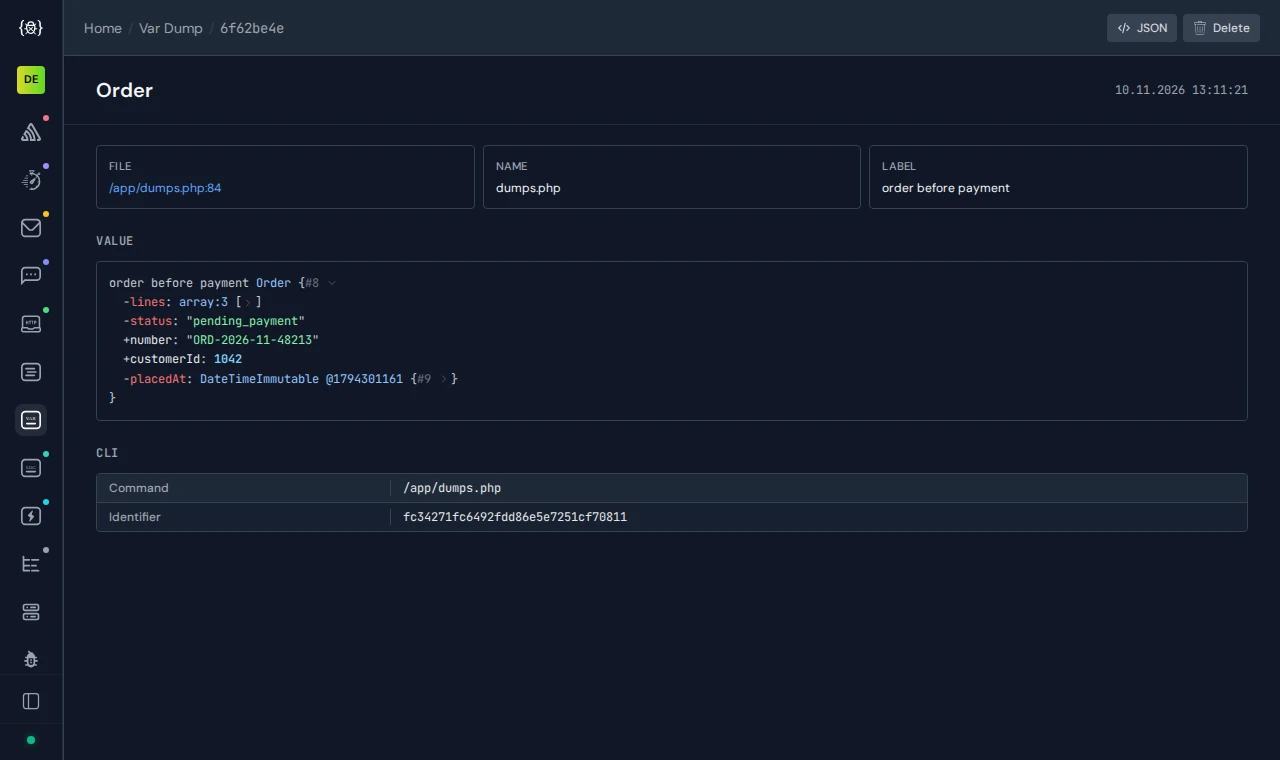
A dump() of an order array, with the file and line it was called from.
No registration. No account. Start it and point your app at it.
ray() goes to port 8000, the same port as the UI. dump() goes to port 9912. One file, about 40 MB, installed with one command. Prefer containers? Use the Docker tab.
$ curl -fsSL https://raw.githubusercontent.com/buggregator/server/master/scripts/install.sh | sh
$ HTTP_ADDR=127.0.0.1:8000 \
  SMTP_ADDR=127.0.0.1:1025 \
  VAR_DUMPER_ADDR=127.0.0.1:9912 \
  MONOLOG_ADDR=127.0.0.1:9913 \
  PROXY_ADDR=127.0.0.1:8080 \
  ~/.local/bin/buggregator
The script picks the file for your CPU: Intel/AMD or ARM.
One file for Linux, macOS and Windows, about 40 MB. Nothing else to install.
Runs on Windows, macOS and Linux, on Intel/AMD and ARM.
Prefer not to do it yourself? Your AI agent can set Buggregator up for you
Two lines in your .env. In Docker Compose, use the service name instead of 127.0.0.1: ray@buggregator and buggregator:9912.
# php artisan ray:publish-config, then in .env:
RAY_HOST=ray@127.0.0.1
RAY_PORT=8000
Each dump shows up in Buggregator right away, with the file and line it came from. Your page and your JSON response stay as they were.
Dumps come in through Symfony VarDumper or Spatie Ray. Laravel and Symfony use VarDumper for dump() and dd() already.
Send Symfony VarDumper output to Buggregator with two env vars. dump() stops landing in your HTML or JSON and shows the file and line it came from.
Set RAY_HOST and RAY_PORT in your Laravel .env. Your ray() calls, queries, jobs and mails show up in Buggregator, free and MIT licensed.
One command to start. No account needed.
Also built into Buggregator